From your recording we produce an annotated video plus charts so you can trace eye contact, body posture, speech rate and more.
VideoAnalytics shows you, based on your own recording, how your talk comes across: eye contact, gestures, posture, voice and your relation to the presentation are made visible – and translated into clear feedback.
A research and learning tool of the Centre for University Teaching at the University of Bayreuth – for lecturers and students who want to develop their presentation and rhetoric skills. AI-based emotion recognition is optionally available.
Record your webcam and optionally your screen, then upload for analysis.
No software installation required. The compatibility check verifies in advance whether camera, microphone and browser audio are working.
Start recordingSubmit an existing recording (MP4, WebM, MOV) for analysis.
Upload an existing video file. The analysis starts automatically and you will receive your feedback by email.
Upload videoRecord your presentation via webcam or upload an existing video. Optionally, you can also record your screen at the same time.
The system detects eye contact, gestures, posture, pauses, volume and speaking rate. Once the analysis is ready, you receive the result link by email – you can close the page in the meantime.
You will receive an email with a link to your results including interactive charts, a transcribed text version and optionally an AI coaching report.
After the analysis you receive an interactive feedback dashboard. Here are examples of the different analysis sections:
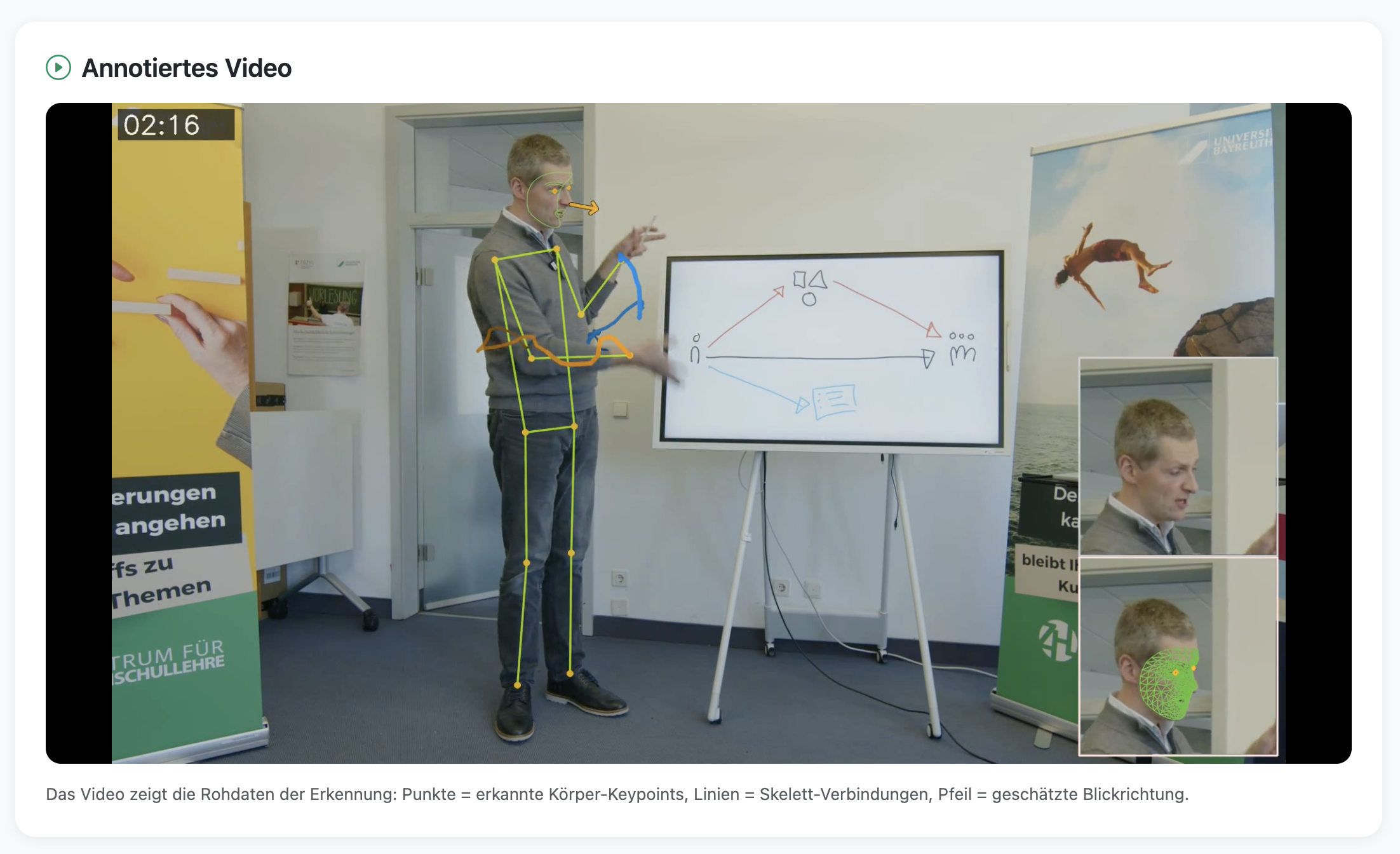
Skeleton overlay shows posture, gestures and gaze direction in real time
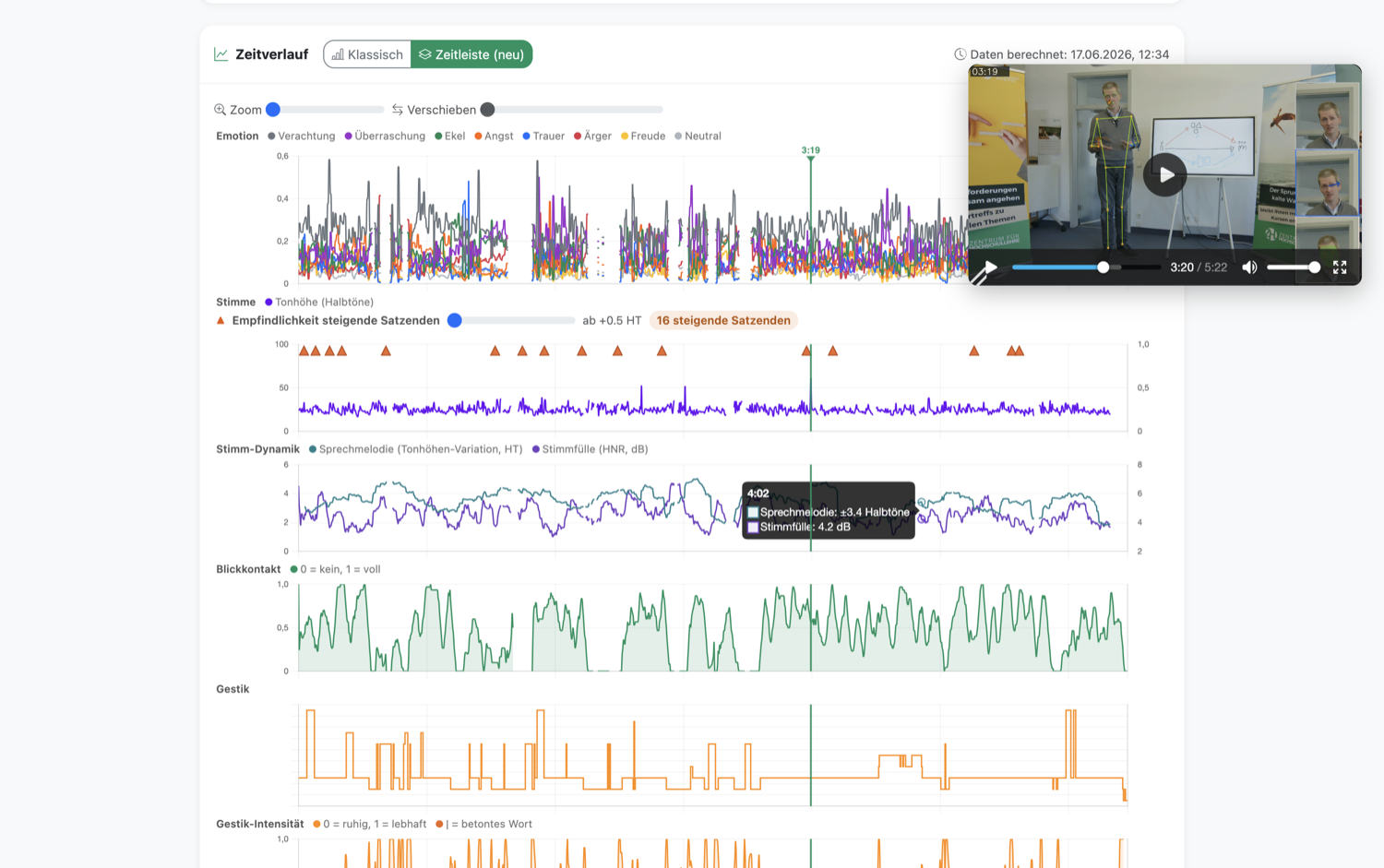
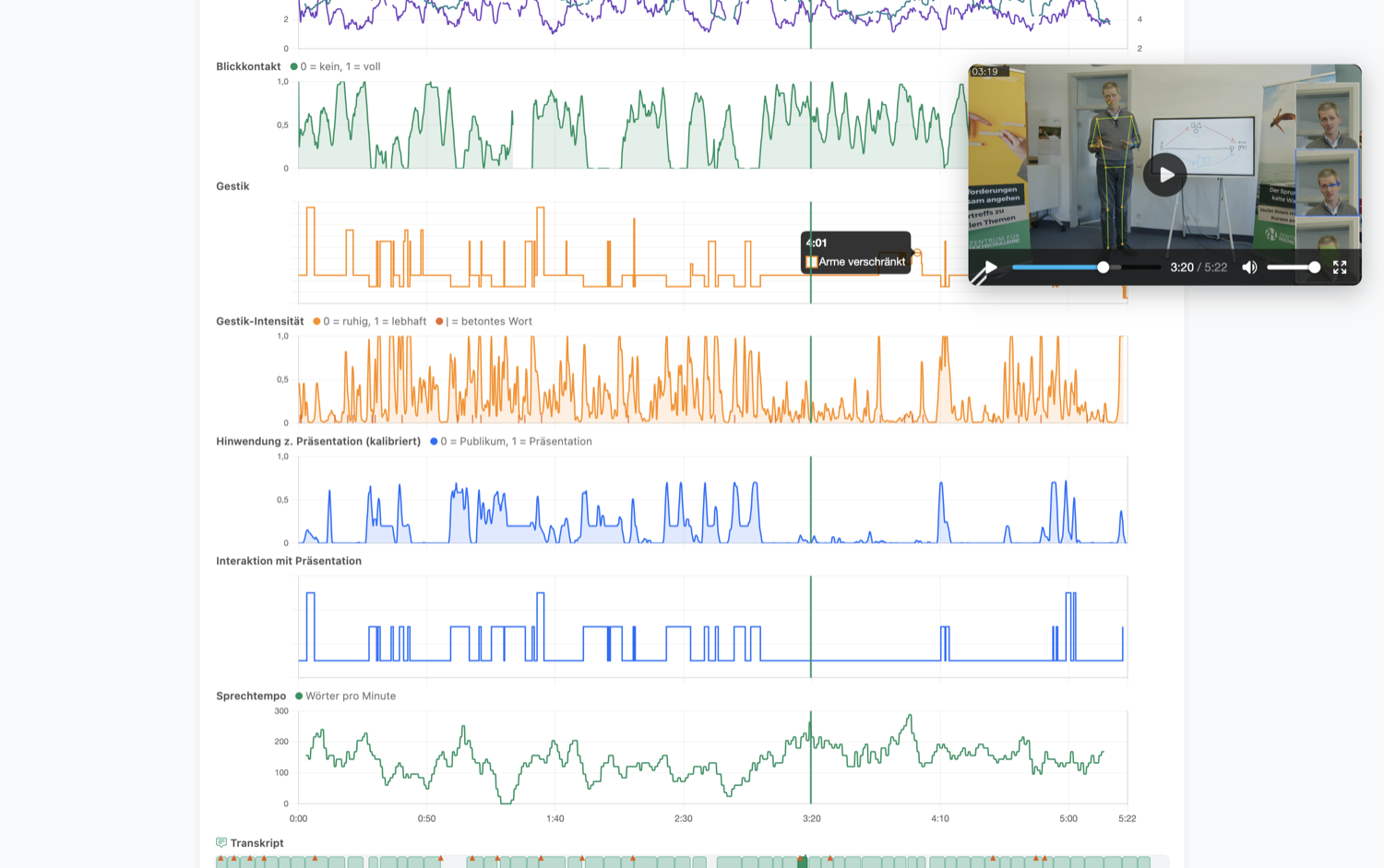
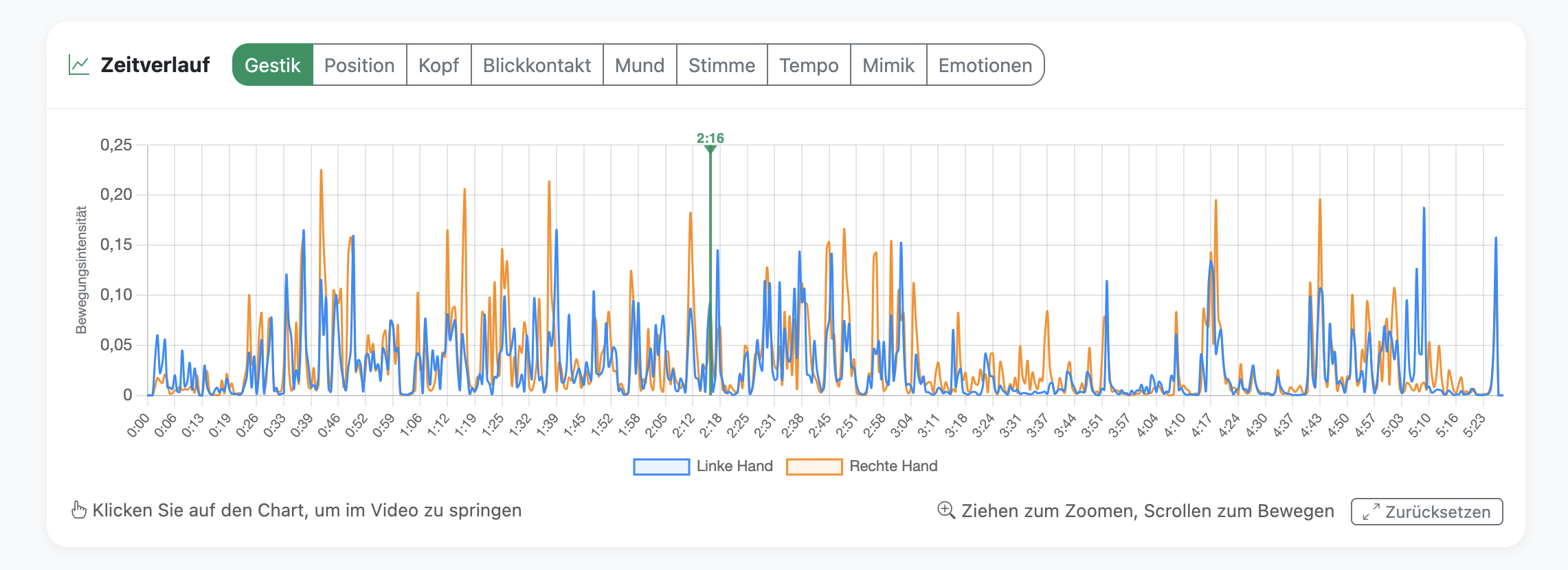
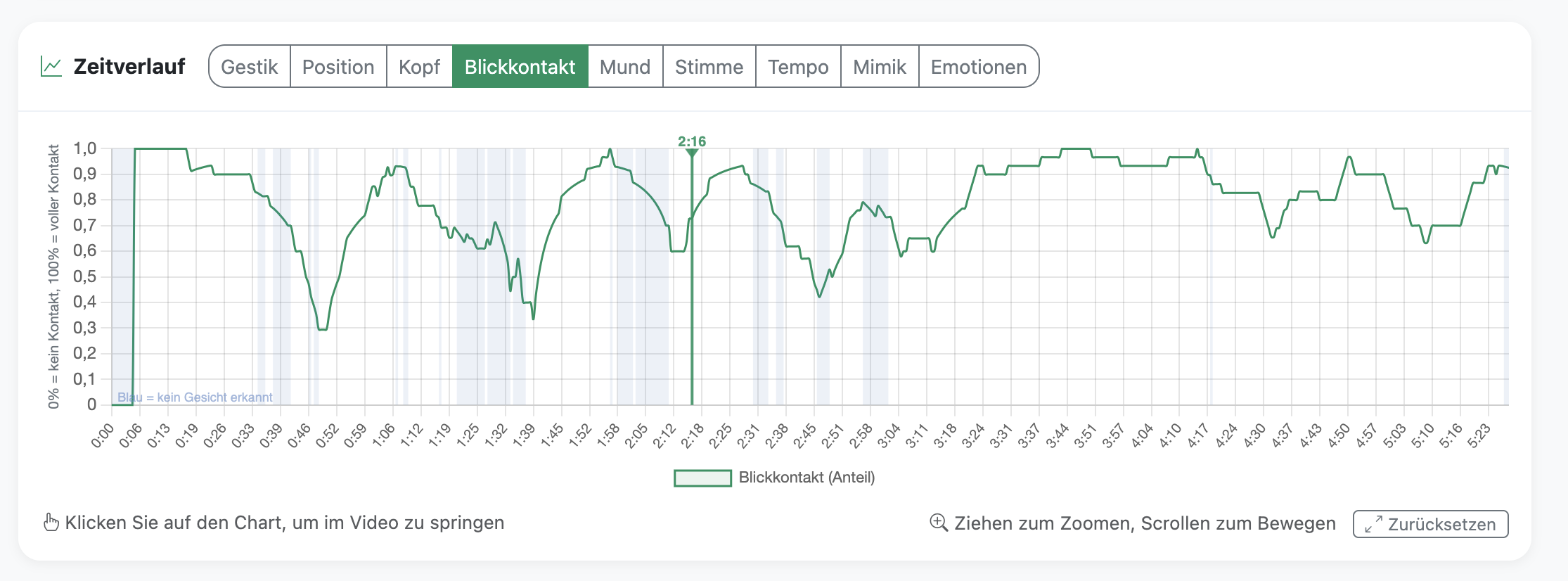
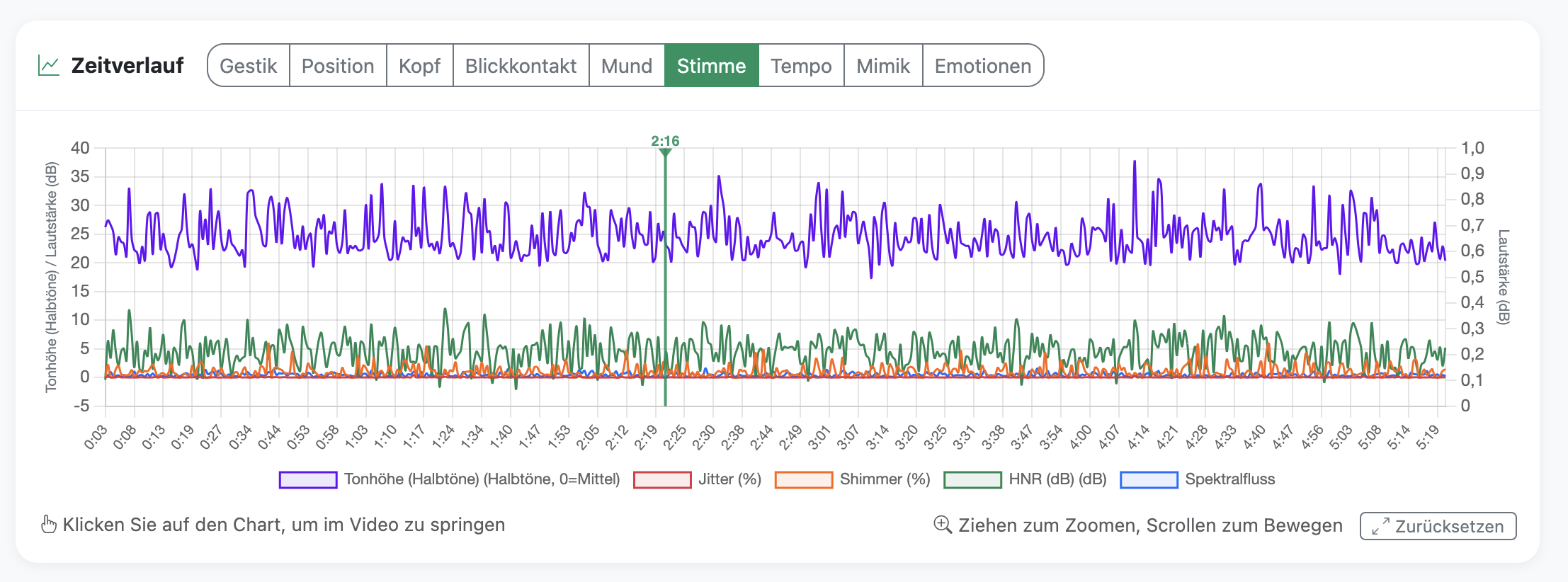
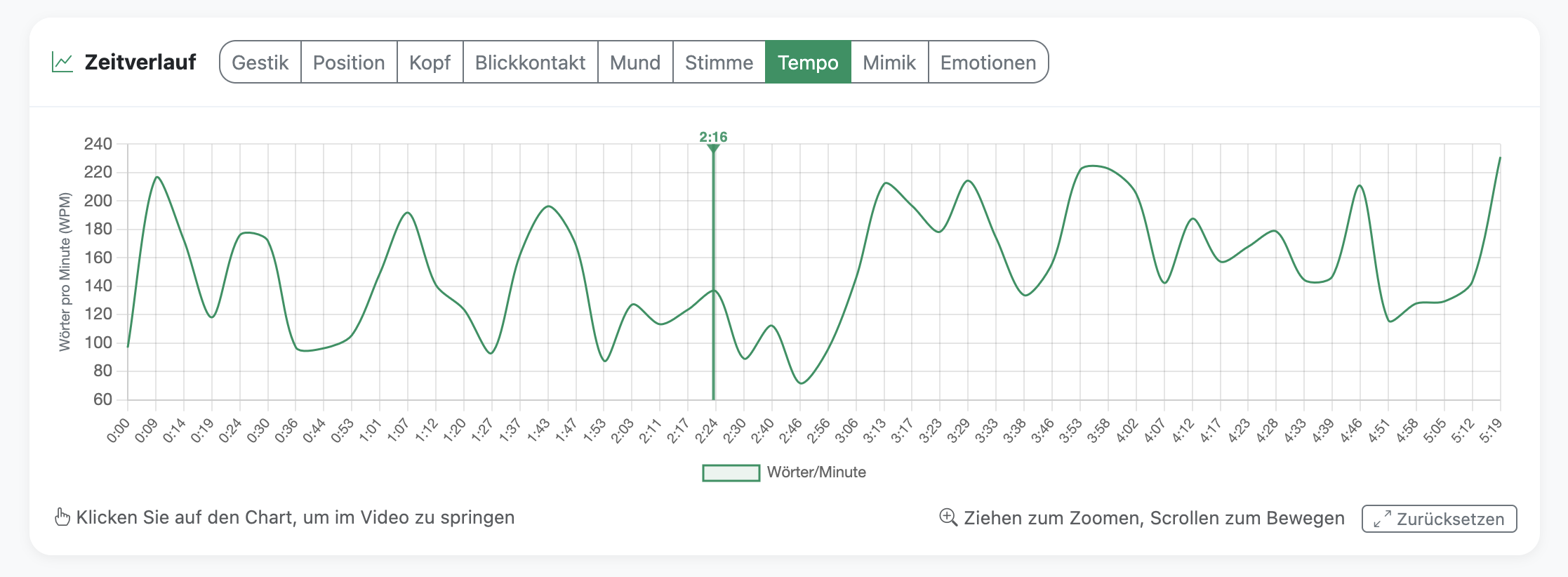
Interactive timeline: jump straight to moments with lots of gesturing, little eye contact or a change in voice.
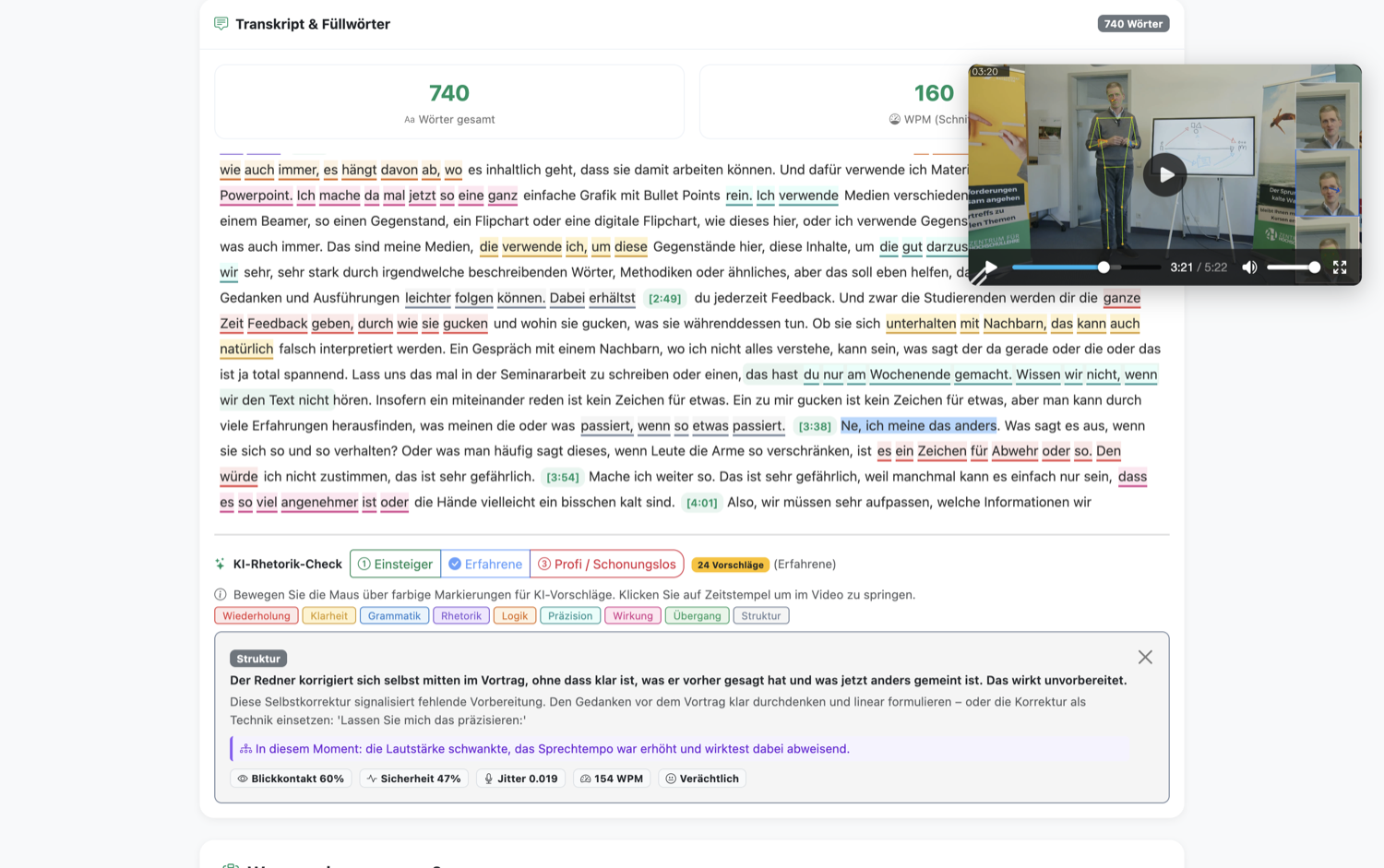
Pointers on the clarity, structure and impact of your talk.
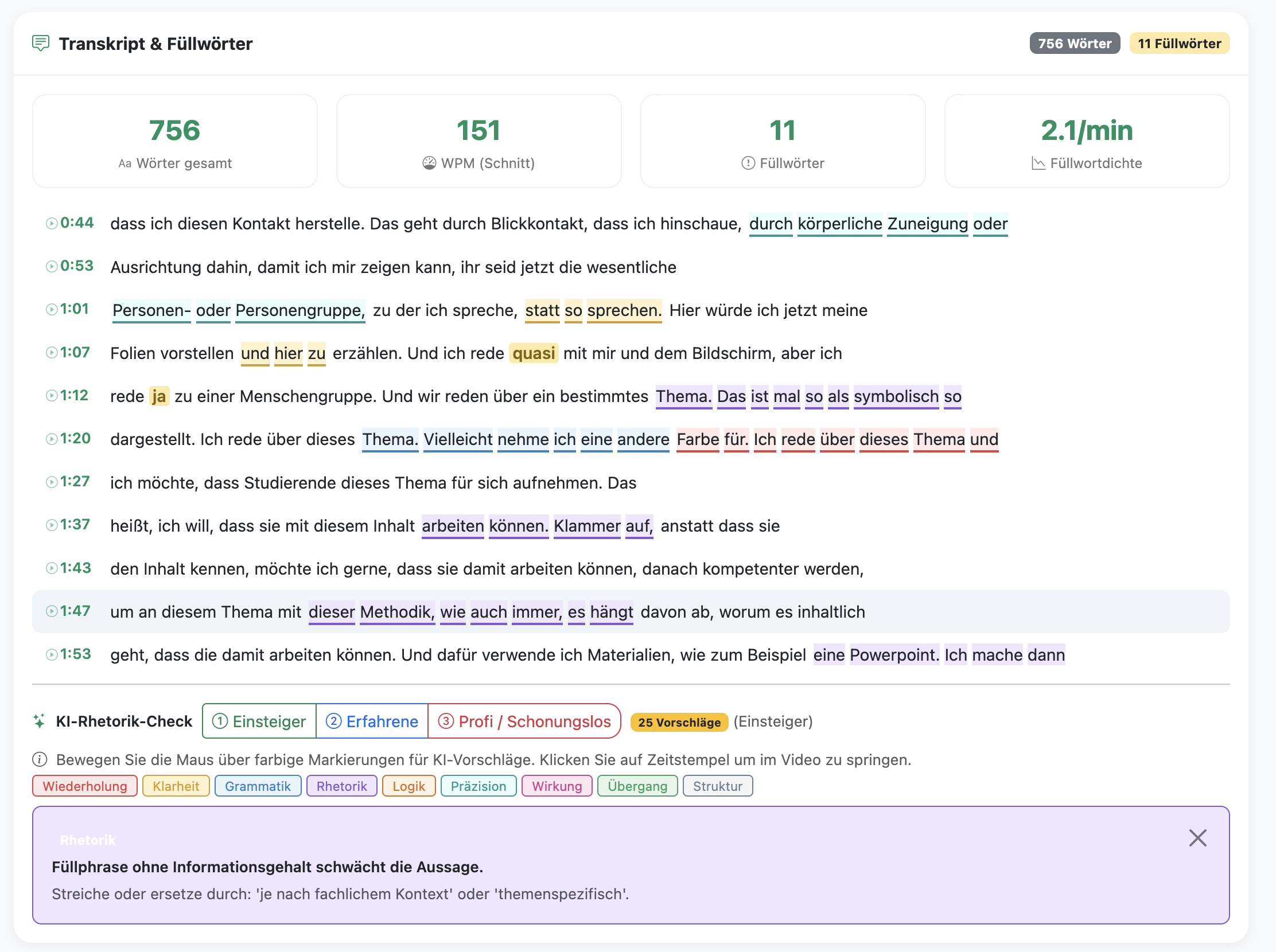
Colour-coded improvement suggestions directly in the transcript
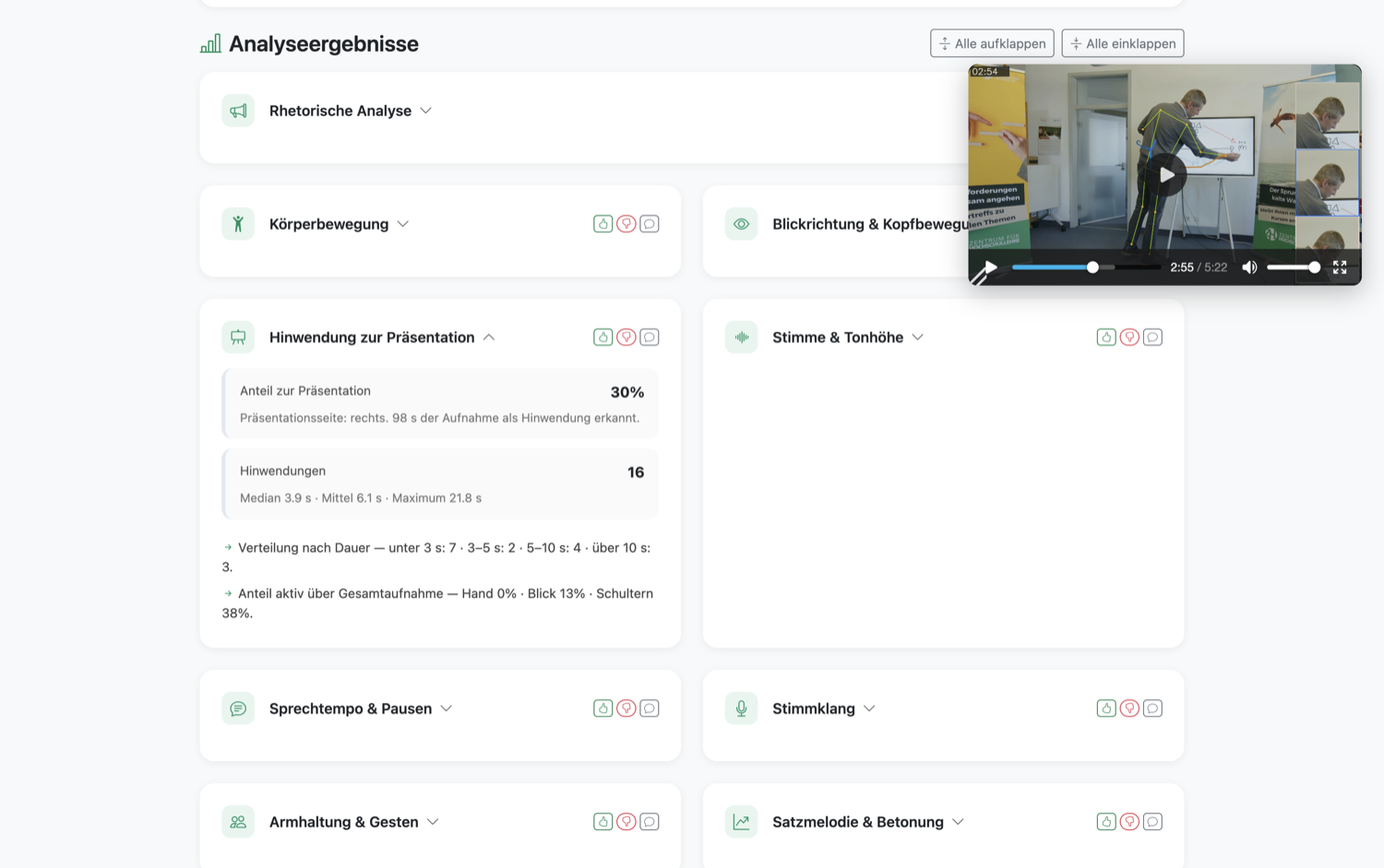
Eye contact, speaking rate, gestures and pauses – clearly summarised in collapsible cards.
Clear, plain-language pointers: what already works well and what you can concretely work on.
Combined assessment from voice, gaze, speech, gesture and facial expression — with moment highlights for confident passages and improvement areas
Video with text overlays at key moments — shows when confidence rises or drops
A short calibration so your eye contact is detected more reliably.
Set start and end time so only the relevant section is analysed — no distorted data from walking in
Per analysis section: thumbs up/down + comments. Your feedback helps us improve the software
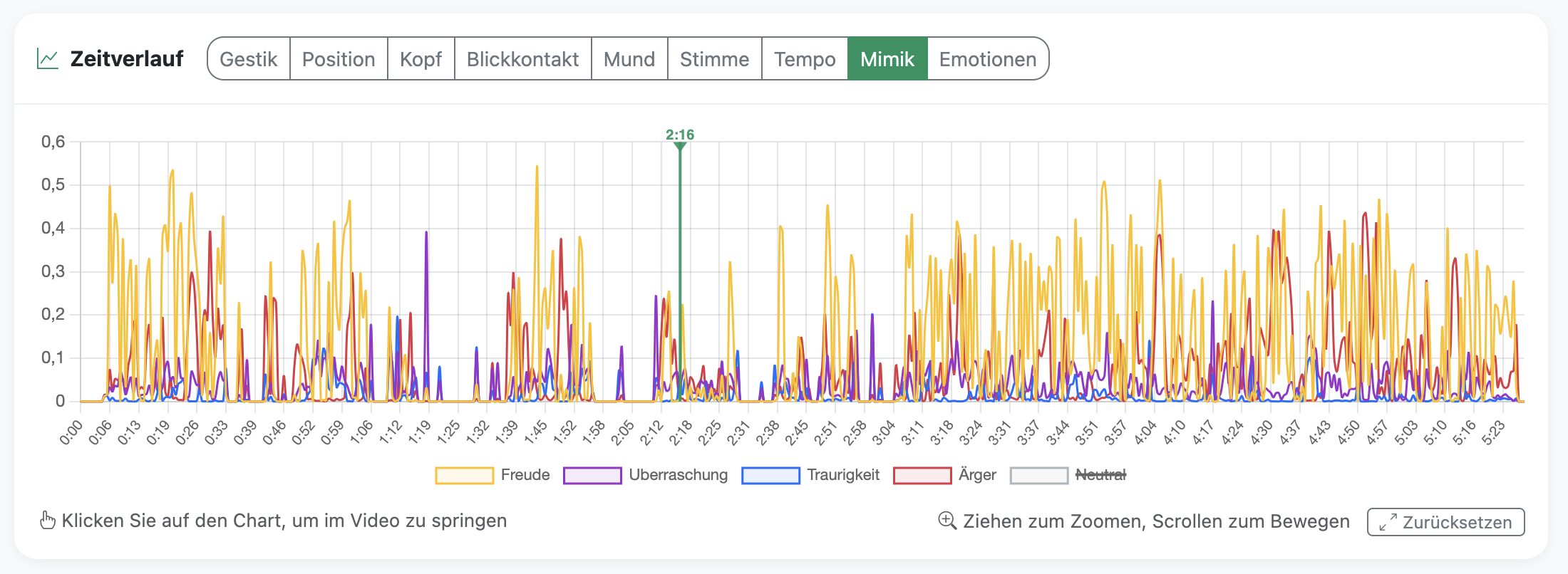
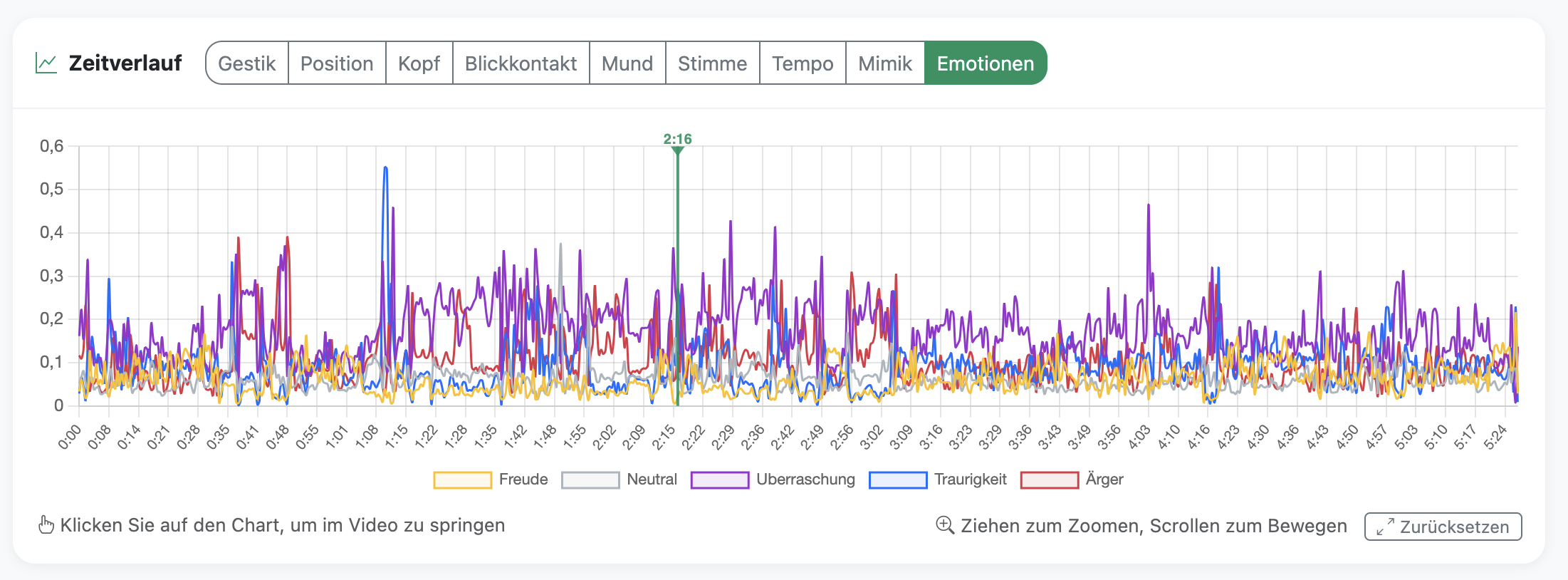

The optional emotion analysis uses a neural network (HSEmotion) to detect emotional states such as joy, surprise, concentration or tension from facial expressions. This data is presented exclusively in statistically aggregated form and serves for self-reflection.
Important: Emotion recognition is an approximation method. It does not capture inner emotional states but interprets visible facial expressions. The results should be understood as guidance, not as a psychological diagnosis.
Regulation (EU) 2024/1689 (AI Act) classifies emotion recognition systems in the workplace and educational institutions as particularly sensitive (Art. 5 para. 1 lit. f). Their use is only permitted under strict conditions.
The following safeguards apply within this project:
The use of this service is entirely voluntary. There is no obligation to record or upload videos for analysis. All optional features (emotion analysis, AI coaching) must be actively enabled.
All uploaded videos and analysis results are automatically deleted after no more than 14 days. After that, neither the video nor the analysis data remains accessible. You can also trigger immediate deletion yourself at any time – via the “Delete data” button on your personal feedback page. All files are removed instantly; any copy on the analysis server is deleted within about 15 minutes.
The entire video analysis runs on a dedicated server at the Centre for Higher Education Teaching (ZHL) of the University of Bayreuth. The website as well as the uploaded files and results are hosted on a server operated on our behalf by Hetzner Online GmbH in a German data centre (Falkenstein) – acting as a processor under Art. 28 GDPR that processes the data solely on the university's instructions and not for its own purposes. Both servers are located in Germany; your video, individual frames and the audio track never leave this infrastructure. Data is transmitted to an external provider only if you actively choose the optional AI coaching with the provider “Claude” (Anthropic, USA). In that case, only an excerpt of the transcript and the computed metrics (e.g. speaking rate, eye contact in percent) are sent – never the video, individual frames, the audio file or your name or email address. Anthropic processes this data under a Zero Data Retention agreement (no storage, no use for AI training). Alternatively, you can select a local AI model running on the university server for coaching – in which case no data leaves the university at all.
This website uses no tracking, no advertising or analytics cookies and no external analytics services. All styling and script libraries are served directly from the university server – no content is loaded from external servers (e.g. CDNs), so your IP address is not exposed to third parties either. The only cookies used are a strictly necessary one for your language choice and a session cookie that protects forms. Beyond that, no personal data is collected apart from the email address required to deliver your feedback.
The analysis combines video, speech and voice features. The results are for self-reflection and do not replace assessment by teaching staff. Technical details:
| Category | Technology | Purpose |
|---|---|---|
| Body Pose & Gesture | MediaPipe (Google) | Body pose (skeleton landmarks), face mesh (468 points), iris tracking |
| Speech Recognition | faster-whisper (Systran) | Speech-to-text (transcript), word-based filler detection |
| Emotion Recognition | HSEmotion (HSE) | Facial emotion classification (joy, neutral, sadness, anger, etc.) |
| Gaze Direction | L2CS-Net (ResNet-34) | Gaze angle estimation (yaw = horizontal rotation, pitch = vertical tilt) from the face crop |
| Facial Expression (Action Units) | py-feat (Cosanlab) | Action Units = smallest visible facial-muscle movements defined by the Facial Action Coding System (FACS); py-feat detects them automatically |
| Voice Analysis | openSMILE (audEERING) | Acoustic features following the eGeMAPS standard (extended Geneva Minimalistic Acoustic Parameter Set): pitch, loudness, jitter = pitch fluctuation, shimmer = loudness fluctuation, HNR = Harmonics-to-Noise Ratio (ratio of harmonic content to noise) |
| Voice Quality | Parselmouth/Praat | Voice quality metrics based on Praat (the de-facto standard tool of phonetics research) |
| Filler Words (audio-based) | Eigenes Verfahren (ZHL UBT, auf eGeMAPS-Basis) | Custom method: detects “uh” / “um” from acoustic features (eGeMAPS) instead of from the transcript — more reliable than text-only detection |
| Emphasis & Three-Channel Coherence | Eigenes Verfahren (ZHL UBT) | Custom method: measures whether vocal emphasis, gesture and pause align while speaking (three-channel coherence) |
| Orientation Toward Presentation | Eigenes Verfahren (ZHL UBT) | Custom method: infers from hand, gaze and body direction when the speaker is facing the audience vs. the presentation (slides/board) |
| AI Coaching | Claude (Anthropic) | Speech-quality analysis and personalised coaching based on transmitted text and metrics (no video/audio) – contractually under a Zero-Data-Retention agreement: content is not stored and not used for AI training. |
| Video Processing | OpenCV + FFmpeg | Per-frame processing, video encoding |
| Charts | Chart.js | Interactive timeline visualisation |
| GPU Acceleration (graphics-card computing) | NVIDIA CUDA 12.1 | AI-inference acceleration on NVIDIA graphics cards |
| Framework | FastAPI + Python | Backend interface (API = Application Programming Interface) |
University of Bayreuth
Centre for University Teaching (ZHL)
Universitätsstraße 30
95447 Bayreuth
Centre for University Teaching (ZHL)
University of Bayreuth
The University of Bayreuth is a public corporation. It is legally represented by the President.
Bavarian State Ministry of Science and the Arts